AI custom designs for print‑on‑demand — on Shopify.
Transform customer photos into on‑brand, print‑ready designs. Autopictura generates watermarked previews in real time and final, high‑res designs when orders are paid — fully integrated with your Shopify store.
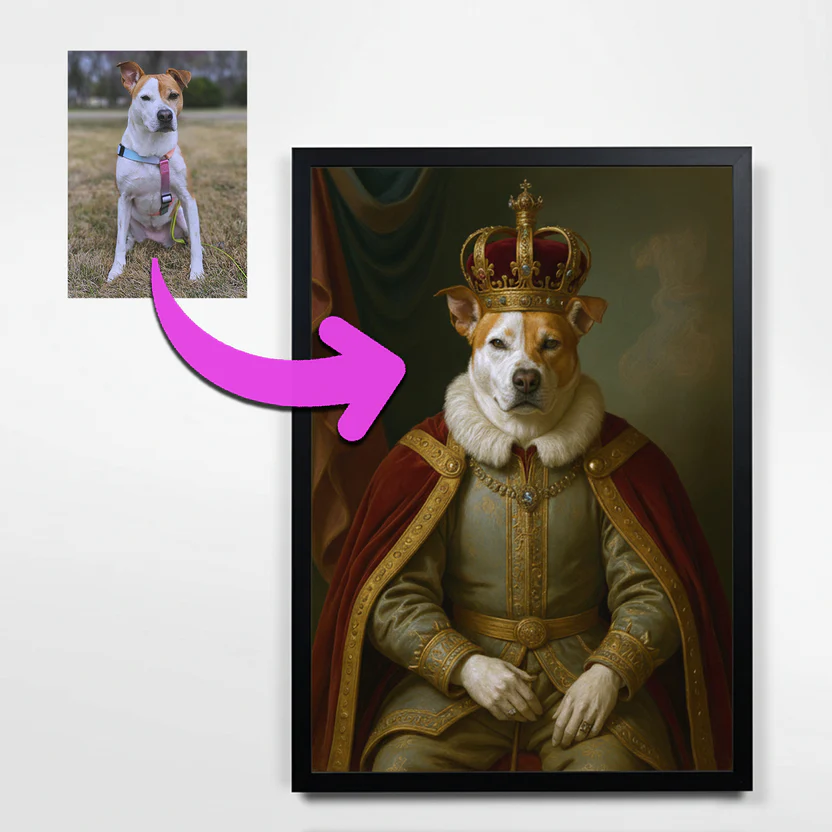
Everything you need for AI custom designs.
Autopictura adds AI‑driven previews and final design generation to your Shopify store — powered by FLUX and Gemini 2.5 Flash Image models, with style templates, watermarking, variant‑aware dimensions, queues, and analytics included.
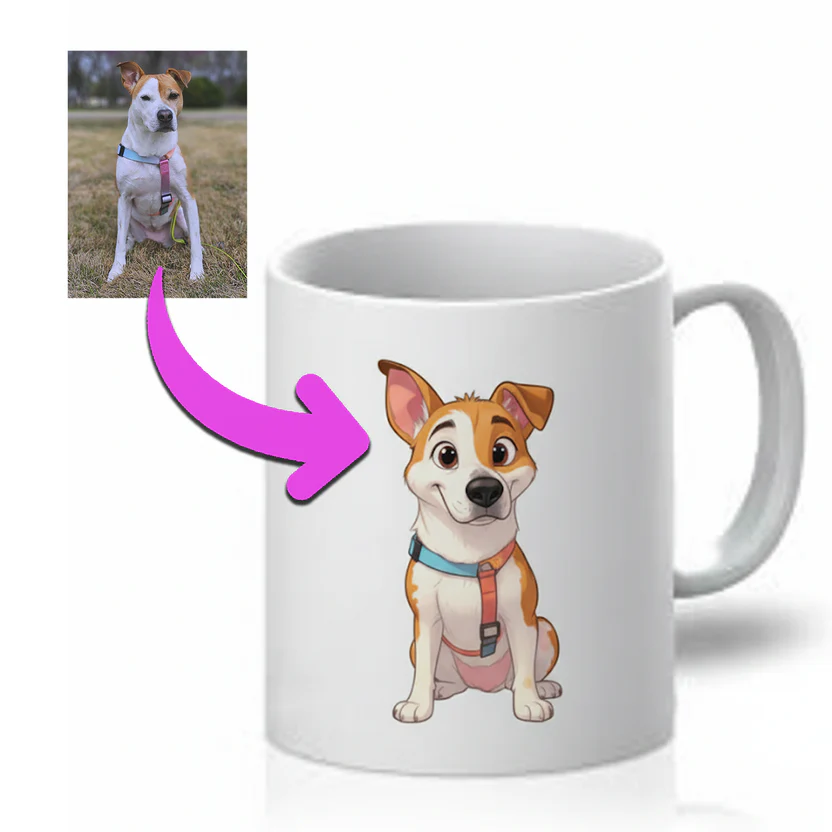
Style templates
Create reusable AI styles with prompts and example images. Assign templates per product for consistent, on‑brand results.
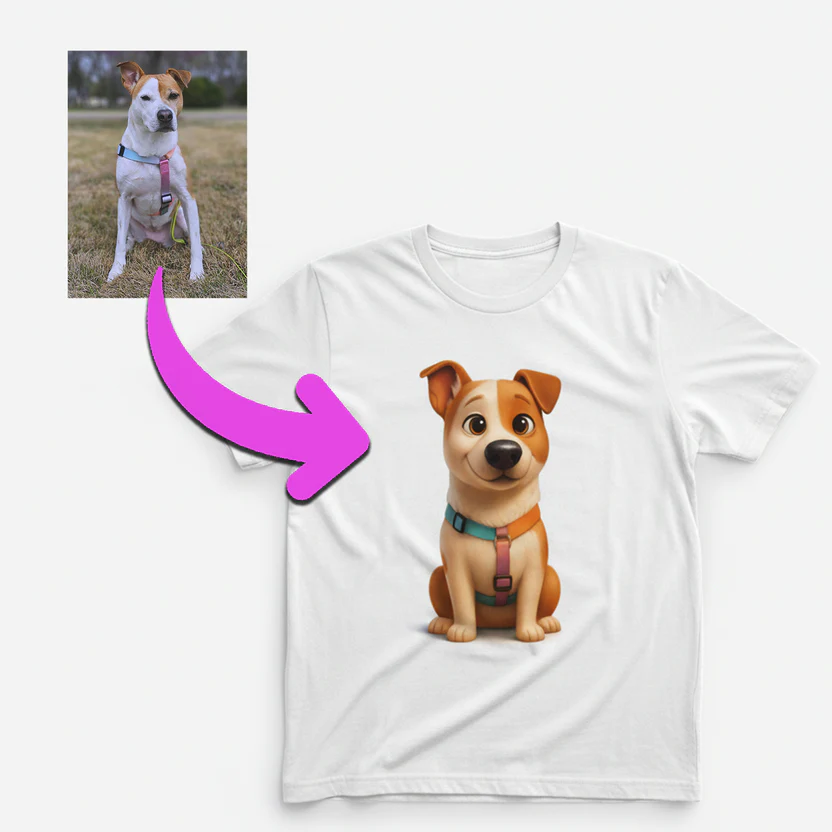
Instant watermarked previews
Customers upload a photo, pick a style, and see watermarked previews in seconds — right on your Shopify storefront.
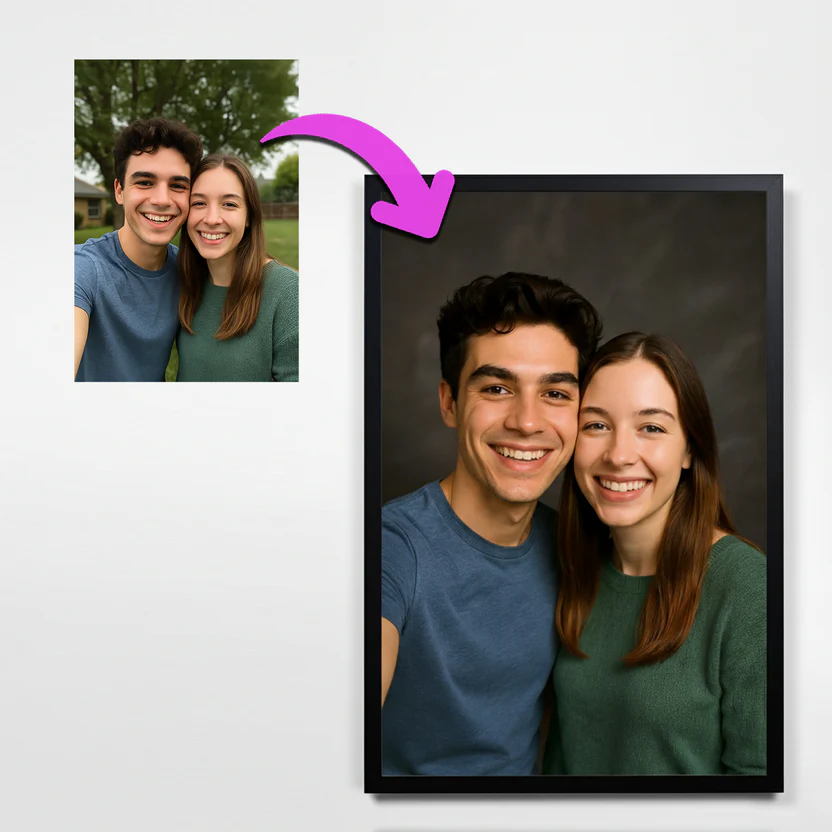
Final designs on order
After checkout, high‑res, print‑ready designs are generated automatically with variant‑aware dimensions and optional upscaling.
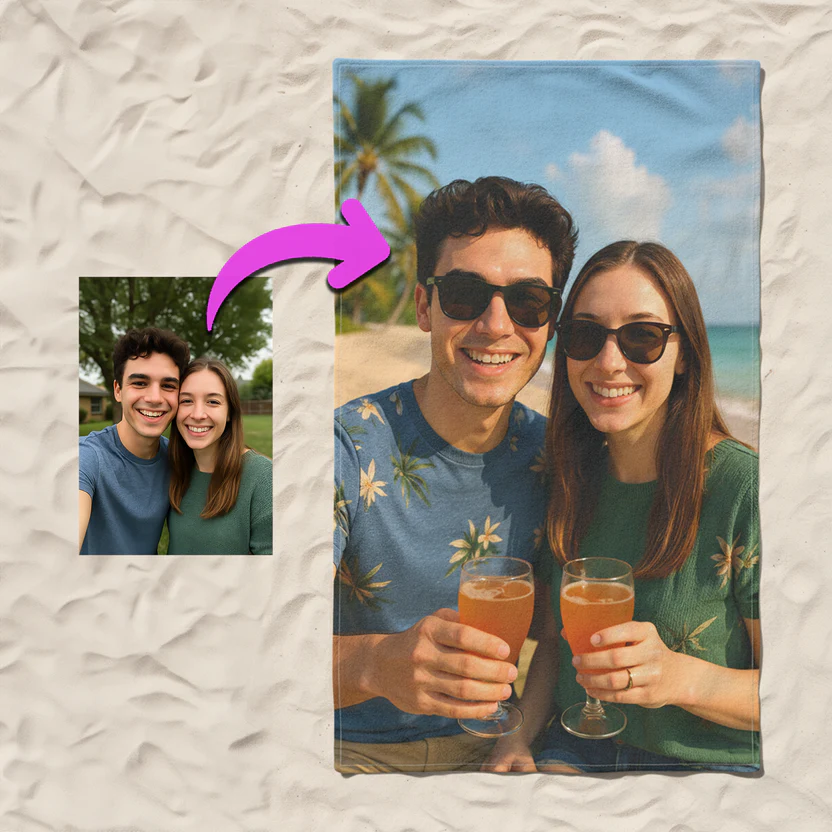
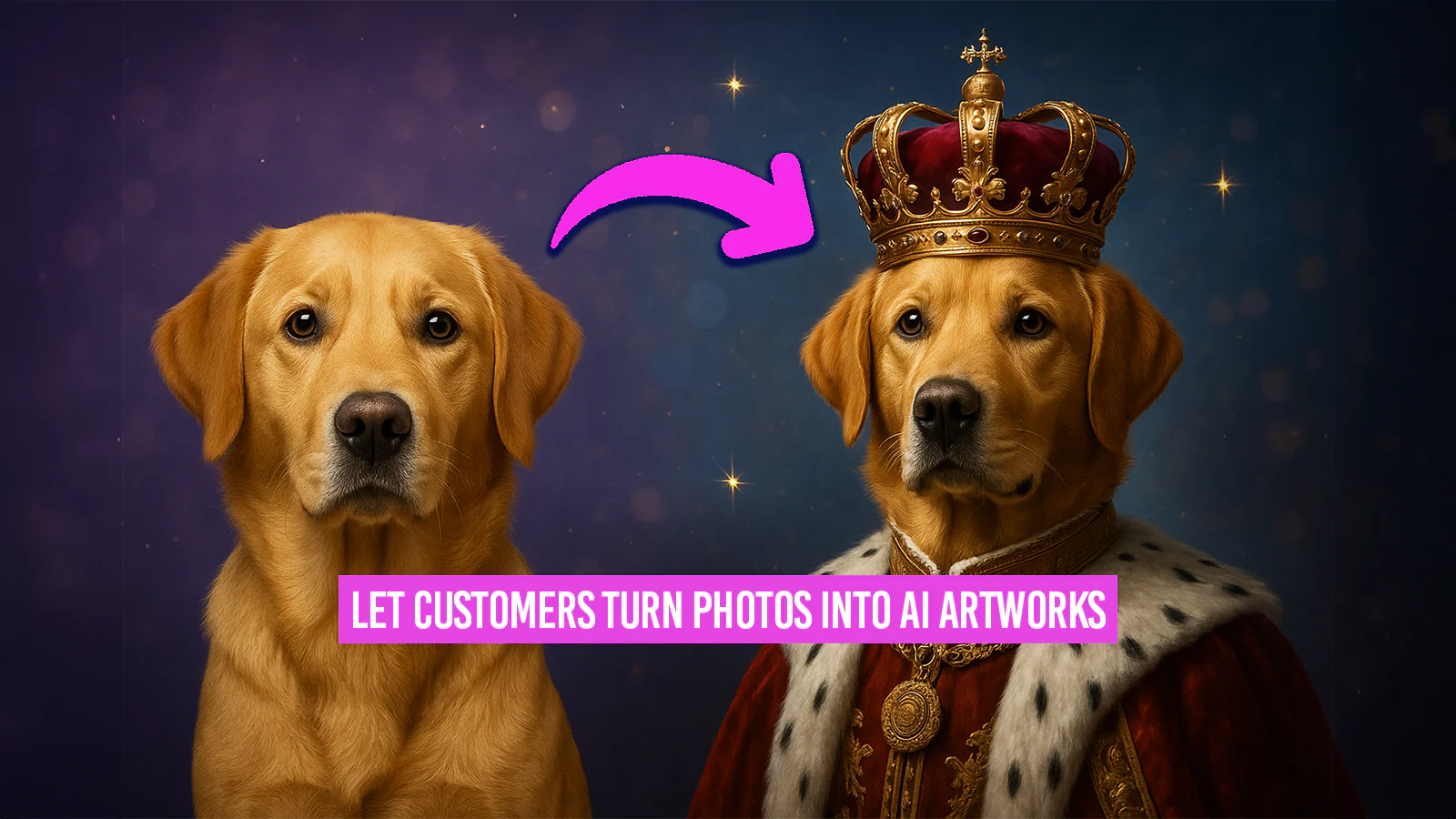
Real examples of AI‑generated designs
Created from customer photos using Autopictura styles — ready for print‑on‑demand products.
Built for Shopify stores.
Full integration across storefront and admin: styles, previews, final design generation, billing, security, and analytics.
Shopify‑native install
Seamless OAuth install, per‑shop settings, and multi‑tenant isolation.
Advanced AI models
Powered by FLUX and Gemini 2.5 Flash Image as primary models, with additional options available.
AI style templates
Create prompts with example images; assign per product or variant.
Instant watermarked previews
Generate on‑storefront previews with rate limits and loading states.
Final designs on order
High‑res outputs triggered on orders paid, with status tracking.
Secure & compliant
Webhook HMAC, proxy verification, GDPR deletion on uninstall.
Storage & CDN
Organized S3 storage, transformations, and caching for fast delivery.
What merchants say about Autopictura.
Hear from Shopify merchants using Autopictura for print‑on‑demand.
Simple pricing, powerful results.
Whether you're a small store just starting out or a high-volume enterprise operation, we have a plan to fit your needs.
Starter
$49
Perfect for small stores just getting started
- 50 monthly orders included
- Extra orders at $1.50 each
- $9,999 monthly cap — processing stops when reached
- 7 day free trial
- Use your own API key
GrowthMost Popular
$149
Ideal for growing stores scaling up
- 300 monthly orders included
- Extra orders at $1.25 each
- $9,999 monthly cap — processing stops when reached
- 7 day free trial
- Use your own API key
Business
$399
Great for established high-volume stores
- 1,000 monthly orders included
- Extra orders at $1.25 each
- $9,999 monthly cap — processing stops when reached
- 7 day free trial
- Use your own API key
Enterprise
$999
Perfect for enterprise-scale operations
- 2,500 monthly orders included
- Extra orders at $1.00 each
- $9,999 monthly cap — processing stops when reached
- 7 day free trial
- Use your own API key
Premium Solution
For enterprise brands with massive volume
Unlimited is designed for ultra high-volume merchants who want predictable flat-rate pricing and unmetered usage. It includes priority support, onboarding assistance, and guaranteed access to full system capacity with no overage charges.
Unlimited
~$333/ day
Billed at $9,999/month
Truly unlimited AI generation - no caps, no limits
- Unlimited monthly orders
- No overage charges
- No monthly cap — never stops processing
- 7 day free trial
- Use your own API key
- White-glove support & onboarding
- Priority feature requests
Powered by cutting-edge AI models
Choose from a comprehensive suite of advanced AI models for image generation, editing, and enhancement.
Image Generation & Editing
FLUX.1 Kontext [pro]
High-quality text-to-image generation with excellent detail and consistency
FLUX.1 Kontext [max]
Maximum quality text-to-image generation at highest fidelity
ByteDance Seedream 4.0 Edit
Advanced seed-based image editing with Seedream 4.0 technology (supports up to 10 input images)
Nano Banana Edit (Gemini 2.5 Flash Image)
Advanced image editing using Gemini 2.5 Flash Image with day 0 access
Gemini 3 Pro Image Preview (Nano Banana 2) - 1K
Next-generation image editing at 1K resolution with state-of-the-art quality
Gemini 3 Pro Image Preview (Nano Banana 2) - 2K
Next-generation image editing at 2K resolution with enhanced detail
Gemini 3 Pro Image Preview (Nano Banana 2) - 4K
Next-generation image editing at 4K resolution with maximum precision
Upscaling & Enhancement
Recraft Crisp Upscale
High-quality image upscaling with crisp detail enhancement
SeedVR2 Upscale
High-quality image upscaling with SeedVR2 technology
Upscale + Background Removal
Upscales images and removes backgrounds in one automated workflow
Specialized Workflows
Moondream + FLUX.1 Kontext
Uses Moondream to identify objects and applies FLUX.1 Kontext for style transfer
Nano Banana + Background Removal
AI editing with multiple image inputs and background removal
News
Stay up to date with the latest features and improvements to AutoPictura.
Gemini 3 Pro Image Preview now available with DAY 0 support
Introducing Google's latest Gemini 3 Pro (Nano Banana 2) model with immediate DAY 0 access! Available in three resolution variants (1K, 2K, 4K), this state-of-the-art model delivers next-generation image editing quality and precision for your image transformations.
ByteDance V4 Edit model now available
We've added ByteDance V4 Edit to our AI model lineup. This powerful editing model provides advanced image transformation capabilities with enhanced precision and quality for your product images.
Upscale + Background Removal workflow now available
New automated workflow that upscales your images and removes backgrounds in one step. Perfect for creating high-resolution product images ready for any background. Configure your preferred upscale model in Settings and choose between Recraft Crisp, SeedVR2, or our combined Upscale + Background Removal workflow.
Gemini 2.5 Flash Image added to model list
Gemini 2.5 Flash Image (Nano Banana Edit) has been added to our AI model options with day 0 access. This new model offers enhanced image editing capabilities for your image transformations.
FLUX Pro Kontext AI model now available
We've upgraded to the latest FLUX Pro Kontext model for even better AI image generation. Expect more accurate transformations and enhanced style consistency.
Frequently asked questions
If you have anything else you want to ask, read our Privacy policy.
How does Autopictura work on Shopify?
Enable the app for selected products, customers upload a photo, pick a style, and get instant watermarked previews. After checkout, the final high‑res design is generated automatically for fulfillment.
What about print quality?
Final designs are generated at high resolution, with variant‑aware aspect ratios and optional upscaling for large formats.
Which products are supported?
Any print‑on‑demand item where a design image is used, for example apparel, posters, mugs, towels, and pet portraits.
How do billing cycles work?
Your billing cycle runs for 30 days starting from when you first install the app or activate a paid plan. Every 30 days, your order counter automatically resets to 0. This is independent of your Shopify subscription cycle, meaning it may not align with your monthly subscription charge date.
What happens when I change plans?
Your billing cycle does NOT reset when you change plans. This is a firm policy to prevent abuse. Your order count, usage charges, and cycle dates remain unchanged when switching plans. Only the plan limits change immediately. This also matches Shopify's behavior - usage charges persist across plan changes within the same billing period.
What are usage charges and the monthly cap?
Each plan includes a certain number of monthly orders. If you exceed this allowance, you'll be charged for each additional order at the "Extra order cost" rate. The monthly cap is the maximum amount of usage charges you can incur in a single billing cycle. Once you hit this cap, order processing automatically stops to protect you from unexpected charges.
Does this slow down my store?
The UI is a theme extension optimized for performance. Generation runs in background queues; the storefront stays fast.
Can I customize styles?
Yes. Create and manage style templates with prompts and example images, and assign them per product.
Where can I read your privacy policy?
You can find it on our Privacy page. We only use data to provide the service and never sell personal information.